For years, video editing processes had become an exhausting routine where we clipped and cut on millisecond timelines and aligned transition effects frame by frame. Bringing an idea to the screen required technical “drudgery” rather than vision. Today, however, the editing desk is giving way to interactive brainstorming. We are working with an algorithmic partner that takes a vision of just a few words, writes the script, creates character templates, and builds its visual world. This sharp transformation I have experienced in my own daily workflow proves that Invideo is not just a video editor, but an autonomous assistant (agent) that guides creative processes. In this article, I will talk about Invideo.io, which I have been experimenting with for a while. First of all, I would also like to note that I have been using the Max plan during this experience.
Agent-Based Production Philosophy: The Cursor of Video
In the software world, we are familiar with how tools like Cursor have transformed the coding process from a passive action into proactive collaboration. Invideo.io brings this agent-based and autonomous production philosophy entirely into video editing, triggering the real revolution in the background.
While traditional editing software leaves you alone with a blank canvas (or timeline), Invideo starts the process completely dialogue-driven. A basic concept you enter into the system is quickly analyzed by the autonomous agent: Who is the target audience? Should the tone of the narrative be dramatic or persuasive? At this exact stage, Invideo.io centers on the “vibe editing” approach, allowing you to focus on the emotion and soul of the project rather than mechanical cut-and-paste operations. The agent blends the clues you provide to shape the overall atmosphere (vibe) of the video, constructs the audiovisual language, and asks you strategic questions to clarify the direction. Thus, your vision is saved from being stuck inside a static template; it turns into a dynamic, intuitive, and fluent production experience where you manage the feel of the video through instant dialogues.
Structural Differences in Design Processes: Context-Driven Editing
In visual communication design, the integrity of the message is everything. The shift from timeline-driven editing to context-driven editing allows the designer to redirect their energy from technical details directly to strategy. Instead of thinking about the cut at the 12th second of the video, we are now discussing the depth of the emotional message intended for that exact second.
“The design of the future is building interfaces not with pixels, but with the semantic perception of artificial intelligence; as tools become invisible, pure creativity emerges.”
While translating textual context into a visual format, Invideo autonomously adjusts scene transitions and rhythm according to the tension of the narrative. This also transforms revision processes entirely into a text-based command sequence (prompt engineering). Instead of getting lost among layers to change the footage, it is enough to tell the agent, “Make the tone here a bit more corporate and melancholic.”
Discipline and Consistency in Brand Identity Management
In corporate communication strategies, the pinpoint consistency of brand identity is of vital importance. Having brand colors appear in different shades across different videos or a disruption in typographic hierarchy is the biggest blow to professionalism. When managing the identities of corporate technology brands, maintaining these standards is one of the areas where I spend the most time.
Invideo’s Brand Kit feature solves this problem with algorithmic discipline. Color palettes, font families, and logos, once defined in the system, are integrated by the autonomous agent into every scene, every subtitle, and every graphic component with flawless consistency. In this way, the visual DNA of the brand never mutates, even across hundreds of different generated contents.
Initial Experiments on Invideo.io
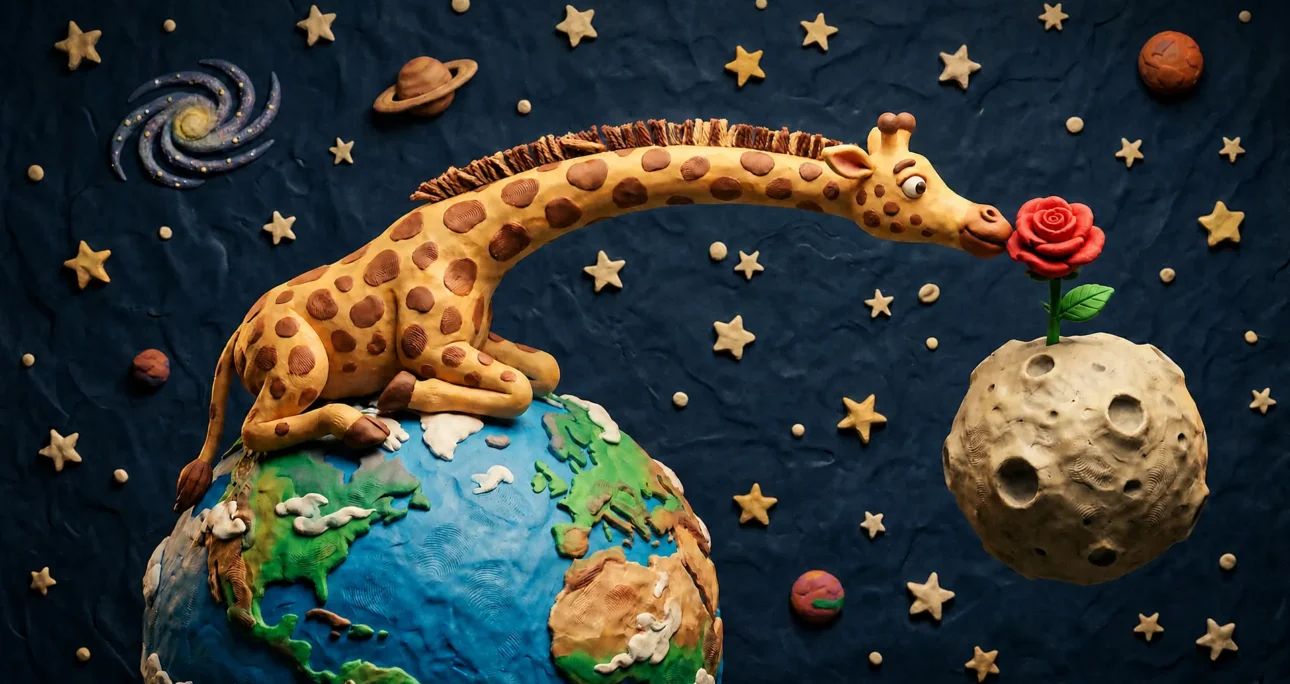
Although Invideo.io looked a bit complicated when I first opened it, due to my usage habits, I immediately headed to the prompt writing screen and wrote my first test prompt. I wanted to make a 30-40 second children’s animation about a giraffe sitting on Earth and smelling a rose on the moon. With LLM support, I wrote the following prompt:
“A charming stop-motion claymation video of a giant giraffe lying on a round, textured clay model of the Earth in space. The background features tactile, handcrafted clay stars. The giraffe stretches its neck across space to smell a colorful, oversized plasticine flower growing on a bumpy clay Moon. Visible fingerprints, tactile materials, studio lighting, Aardman animation style, playful and whimsical atmosphere, smooth stop-motion frame rate.”
Upon this prompt, the agent sprang into action and generated a visual related to my request via Nano Banana Pro. Honestly, it created exactly the visual I had imagined. At this point, I realized I had underestimated the power of the platform. Because I was planning to execute each step one by one with commands. I was going to ask for a visual reference first, then a video, but Invideo.io actually eliminated this exact hassle entirely. Realizing this, I just said “turn this visual into a children’s animation” and let the process continue. The agent sequentially wrote the story first, then the voiceover, the music, and finally generated the video, presenting me with the animation I wanted. In other words, if I had just said “prepare an animation for me on this topic” right from the start, my video would have been prepared end-to-end while I continued doing my other tasks in the background. By the way, the agent I used was Agent Two Ultra. I must say I found it truly successful. I am also sharing the video output of this project below:
My End-to-End Video Production Experience on Invideo.io
Following this experience, I decided to examine the platform in more detail. You can create multiple projects and set up multiple agents working on each project. You can name your agents and run each of them in a different field. You can tell each agent which of the dozens of AI models to use.
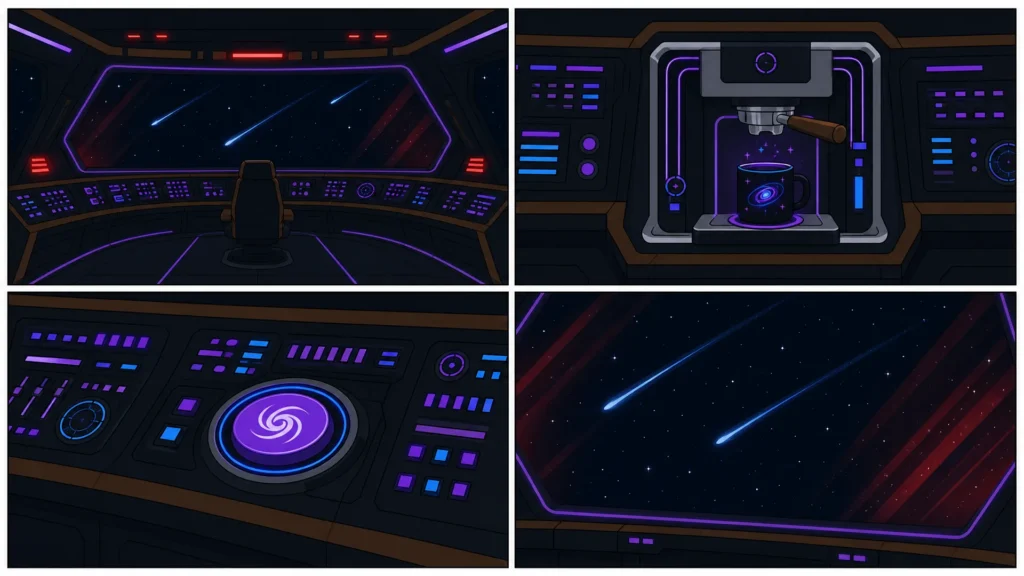
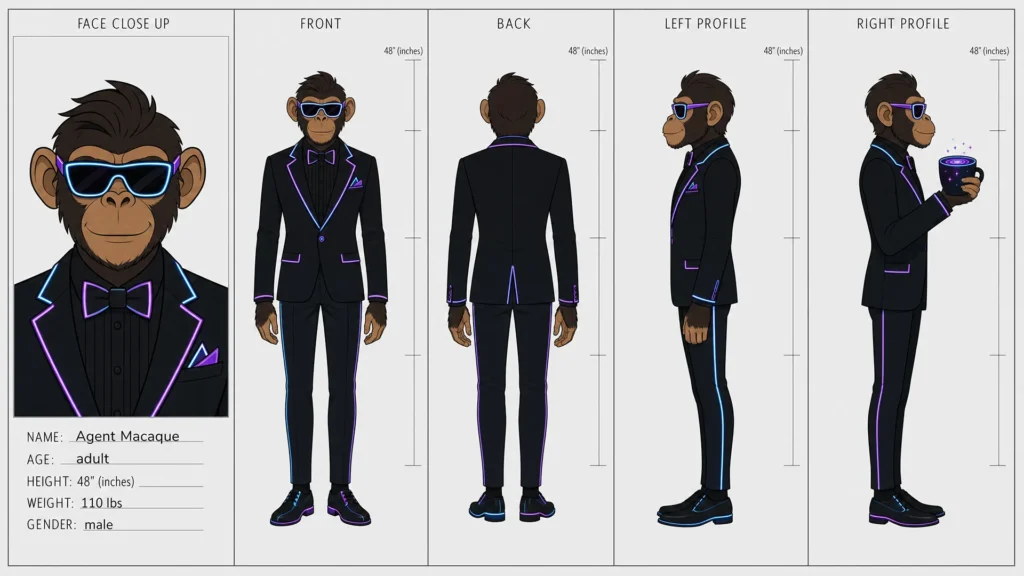
Thereupon, I opened a new project and this time I asked Agent Two Ultra to make a flat illustrator style, cyberpunk-themed animation of a chimpanzee drinking coffee in space, and told it I would use this on YouTube. The result was truly satisfying. After passing the command, it created a “Context” file, deepened my one-sentence request, broke it down into steps, and formed its own work plan. First, it generated a character reference visual of the chimpanzee in space, then it shaped the environment. Afterwards, it created the plan for the video. Since I mentioned I would use it on YouTube, it divided the video into 4 scenes and added a hook at the beginning. A while later, it presented me with the video below.
Personal Experience: Managing a Studio with an Autonomous Assistant
In my own design and brand management processes, I position artificial intelligence not as a “tool” but as a “team member”. The most critical experience I gained while working with Invideo is that the deeper the context you provide the agent, the more refined the result you get.
Initially, I observed the system falling into cliches by giving only superficial commands. However, when I included the psychological state of the target audience, the visual tension of the video, and the brand’s subtexts into the prompt, I noticed that Invideo suddenly transformed from a passive editor into an aggressive creative director. In my special projects, I can resolve revision cycles that would take days with manual timeline editing in a matter of minutes with the contextual correction commands I write into the system. Thanks to the unlimited and premium resources offered by the Max plan, it becomes possible to manage the entire process from the birth of the idea to the render stage within a single ecosystem, with a closed-circuit studio logic, without needing any additional external stock sites or tools.
If you liked this article, you might also be interested in my post titled Prompt Engineering Guide: How to Write the Right Prompt?